Game Guide
How to Play Dragonflight
You control a group of four heroes through a large fantasy world. Explore cities, enter dark dungeons, fight monsters and collect gold and experience. The game runs directly in the browser — on your smartphone just as well as on PC.
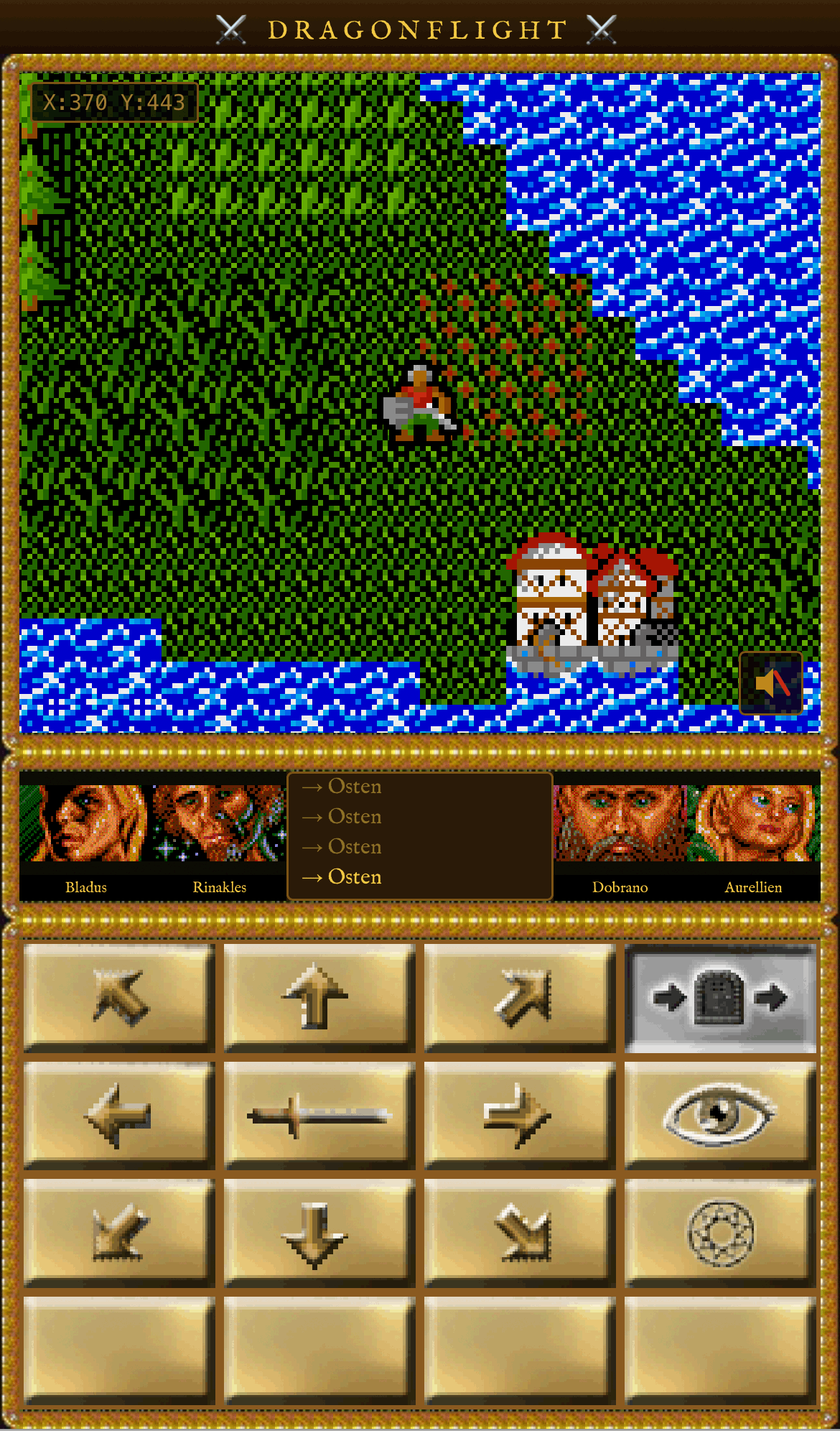
🗺️ World Map
The adventure begins on a large, detailed world map. Your group moves in all eight compass directions — through forests, across plains and along coastlines. Mountains and bodies of water block certain paths; greyed-out direction buttons immediately show where you cannot proceed.
On the map you will encounter cities for shopping and resting, dungeon entrances for bold exploration, and temples that offer magical services.
View of the world map: the group stands at the edge of a mountain range. To the north lies a dungeon entrance.
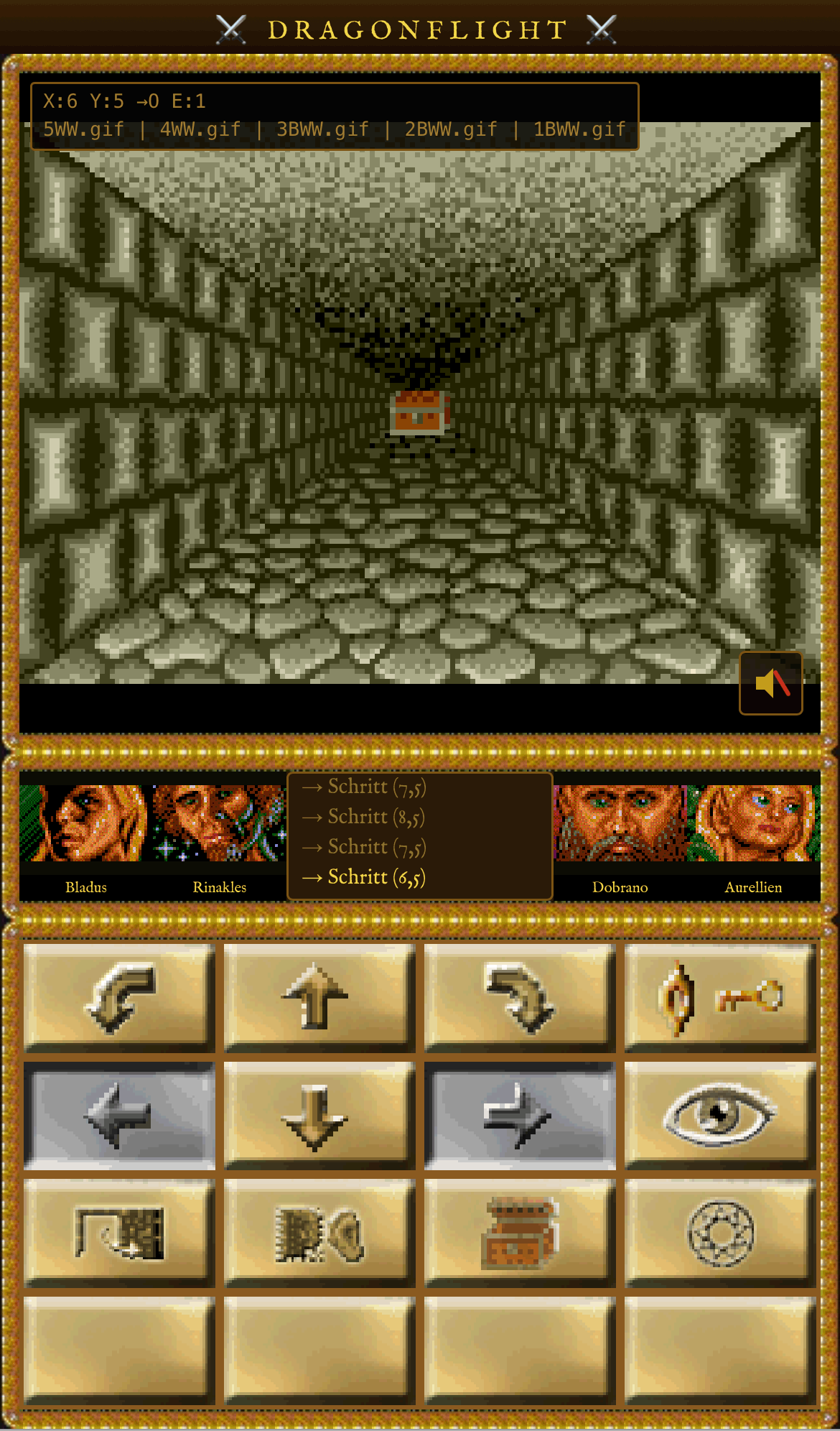
🌑 Exploring Dungeons
Once you enter a dungeon, the view switches to an atmospheric first-person perspective. Stone corridors stretch before you; torches cast flickering shadows on mossy walls.
You move step by step forwards, backwards and sideways, and can turn left and right. Watch out for locked doors — enemies and treasure chests often lurk behind them. Dungeons can span multiple floors, with stairs leading deeper below.
A long corridor in the dungeon. The next step could lead into a trap — or to treasure.
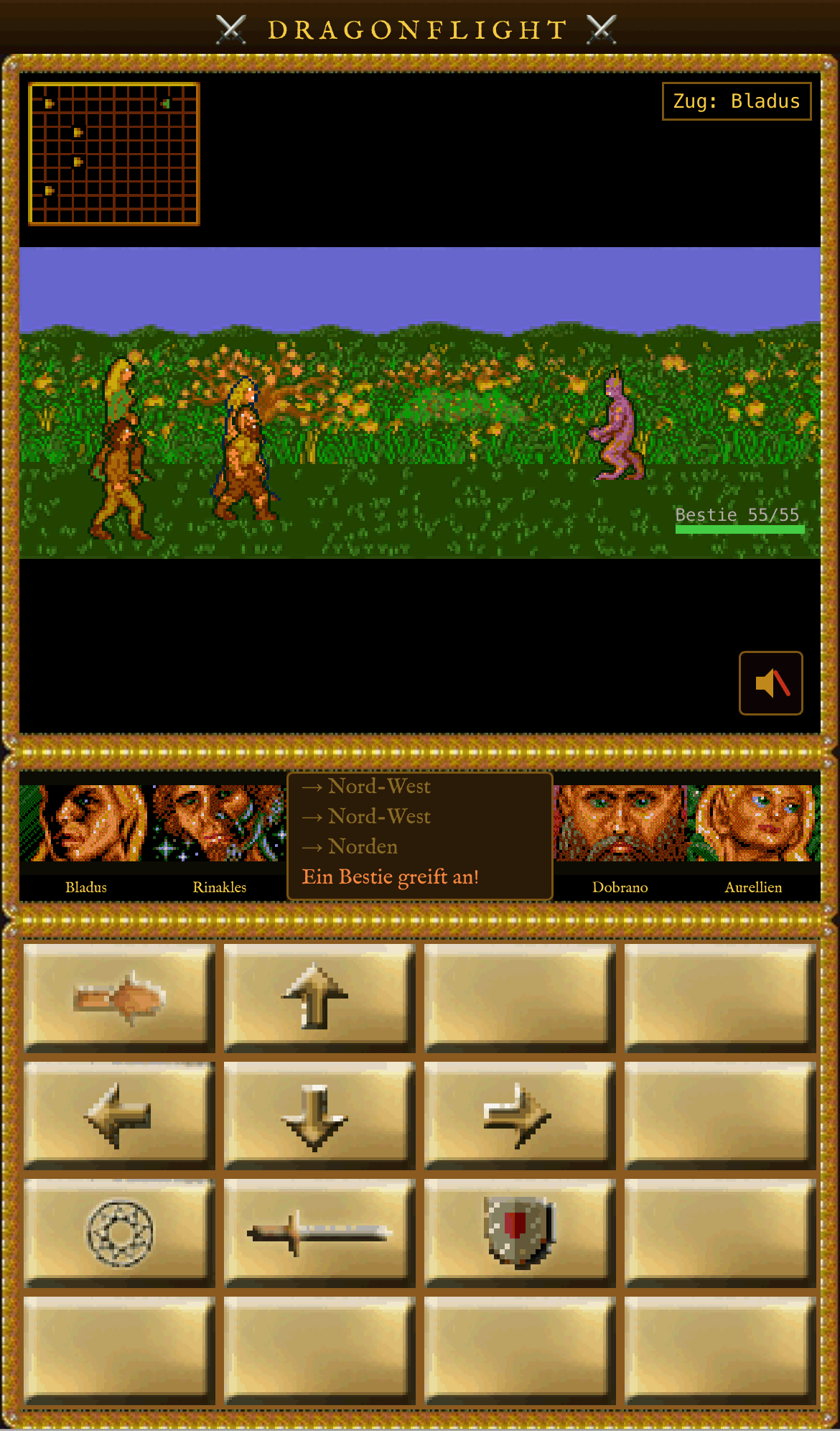
⚔️ Turn-Based Combat
When your group encounters an enemy, a tactical battle on a grid begins. Four characters face up to four opponents — every move must be carefully considered. Attack, move or parry: every action costs one turn.
Particular danger comes from enemies with area attacks such as the Balron or the Ghoul — they hit all four characters simultaneously. A mini-map in the top left shows the positions of all combatants.
A battle against a Balron. The mini-map on the left shows the tactical situation — no character should venture too far forward.
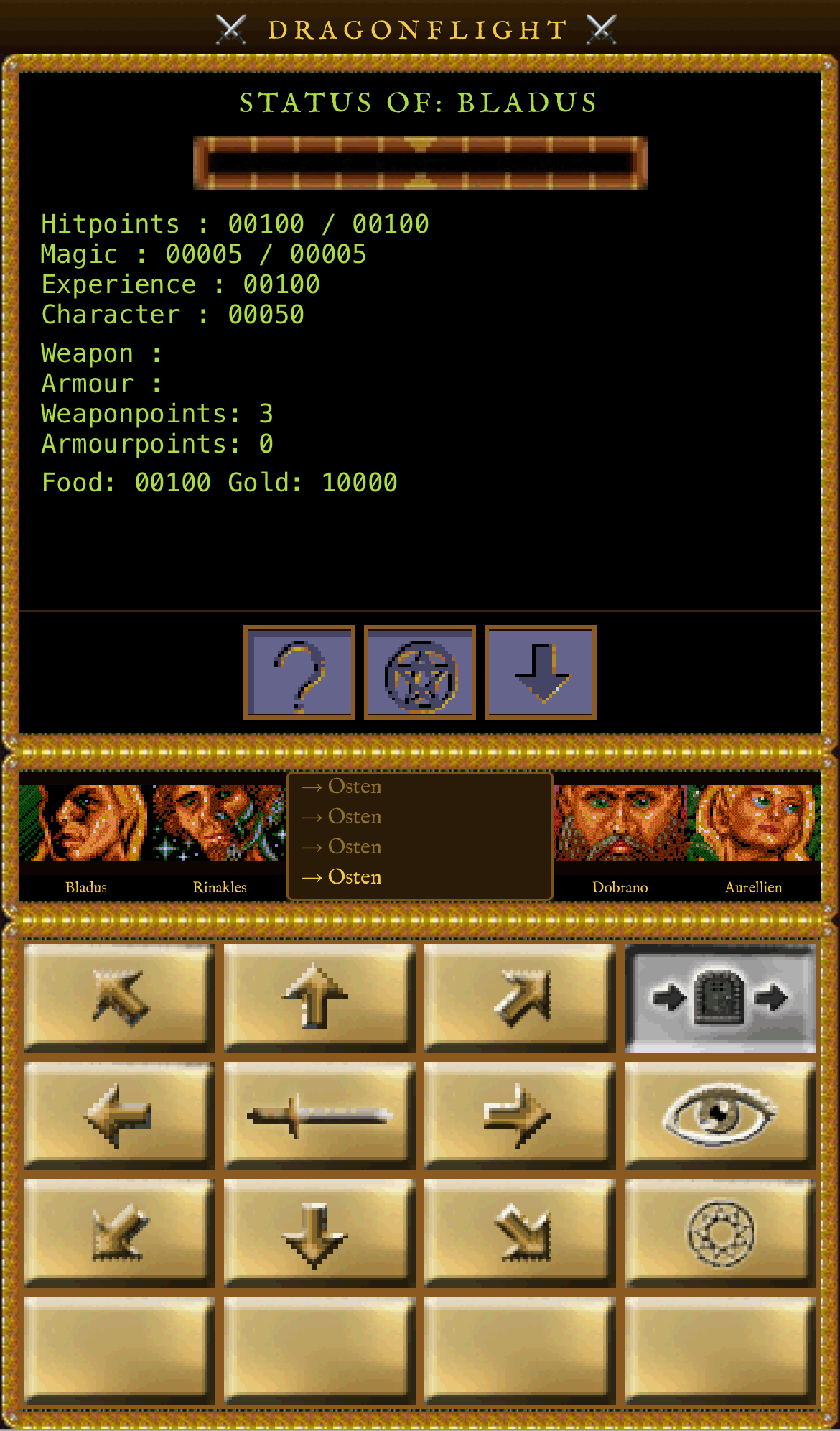
👤 Character Screen
Tapping one of the four portraits at the bottom of the screen opens the character screen. Here you can see at a glance all the key stats: hit points, magic points, experience and the current character value.
You can also see which weapon and armour are currently equipped and how high the corresponding attack and defence values are. Use the buttons to switch to the inventory or spell list.
The status screen for Bladus — all stats at a glance, including equipped weapon and armour.
🎒 Inventory & Equipment
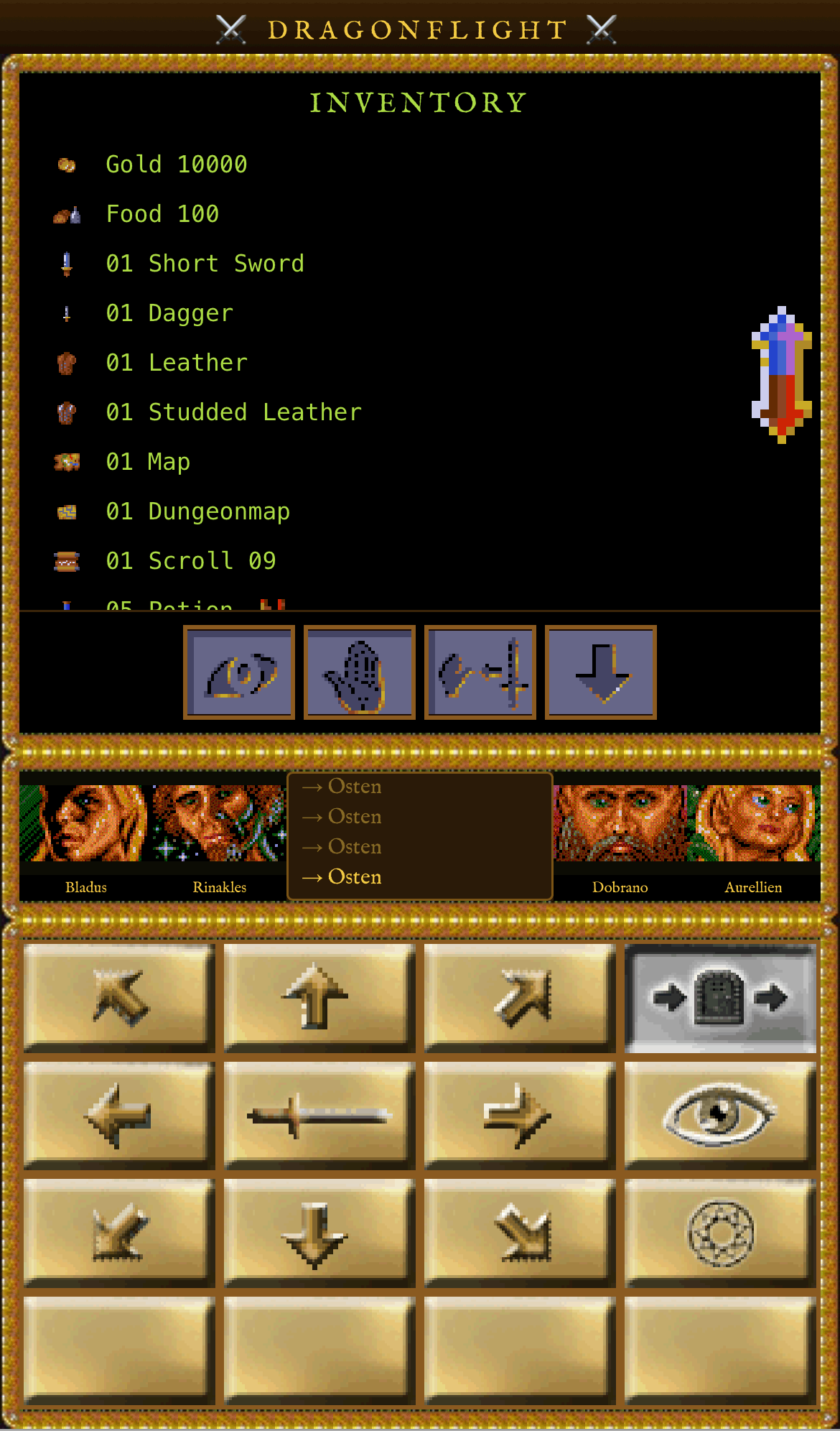
Each character carries their own inventory. Found or purchased items such as swords, armour, potions and scrolls are managed here. Use Aim to equip a weapon or armour piece, and Use to drink a potion or read a scroll.
Scrolls are particularly valuable: they teach the character a new spell that they can then cast permanently. Gold and supplies are also displayed in the inventory.
Bladus's inventory. Alongside weapons and armour you will find potions and valuable scrolls.
🏰 Exploring Cities
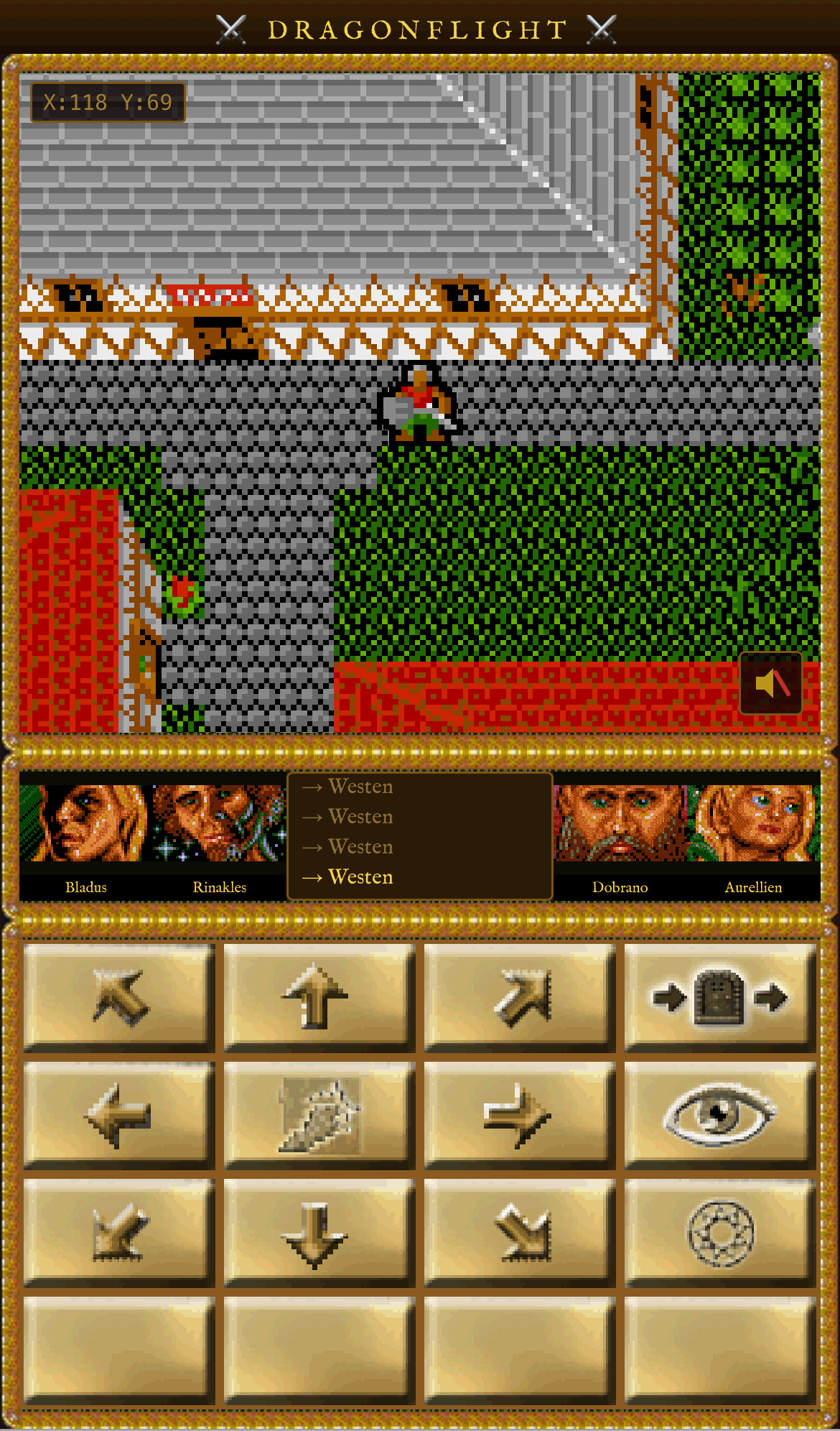
When entering a city the view switches to a top-down map of the settlement. You walk through the streets and discover various buildings: smithies, armourers, food shops, taverns and sometimes quest givers.
Approach a building and open it to step inside and use the services on offer. Every city has something different to discover — some merchants carry goods that cannot be found elsewhere.
A bird's-eye view of a city. Several buildings invite exploration — from the smithy to the tavern.
🛒 Shops & Merchants
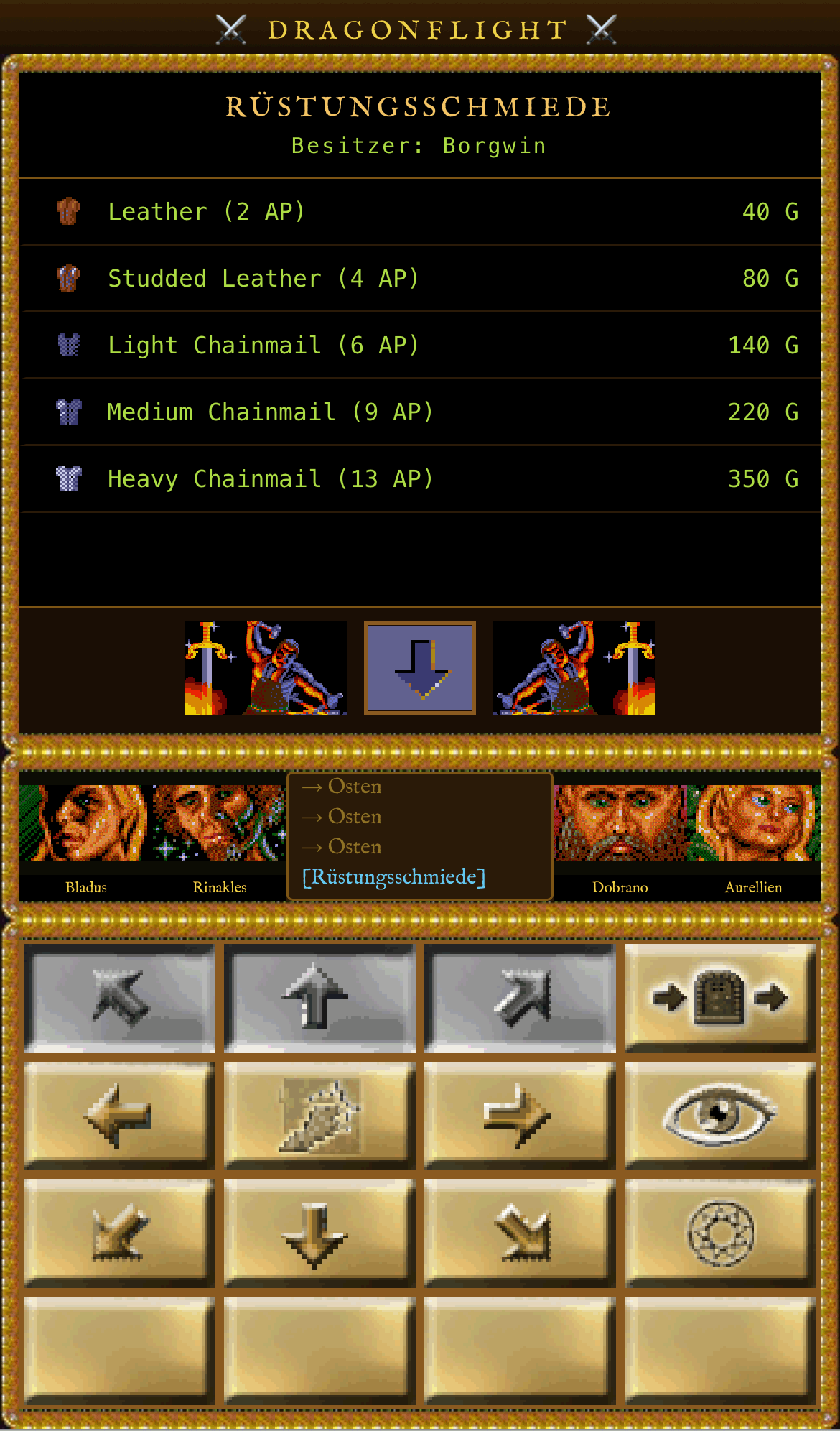
In smithies and armour shops you can buy new weapons and armour. The further you progress through the world, the better equipment becomes available — from simple leather jerkins to heavy chain mail.
Food merchants supply your group with provisions — without enough food, hit points steadily decline on long marches. General goods merchants stock special items like potions and scrolls that are rarely found elsewhere.
A visit to the smith: the selection ranges from simple daggers to mighty battle axes — provided your purse can stretch that far.
🚢 The Ship
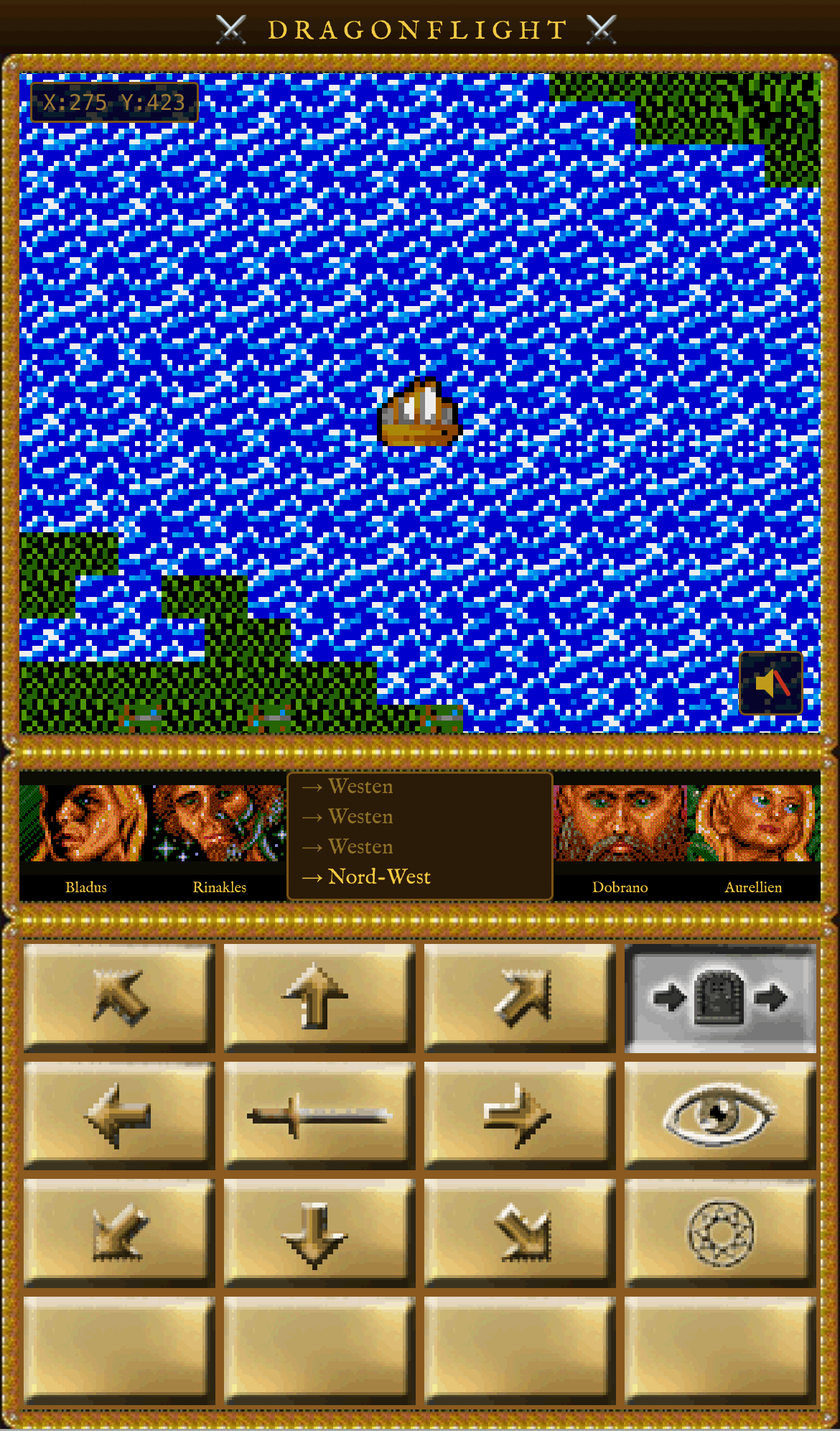
Large parts of the world are only reachable by sea. A ship can be purchased from a shipping merchant on the coast. This opens up entirely new areas — islands, hidden harbours and remote dungeons that remain unreachable on foot.
The ship is controlled on the world map exactly like the group. When docking at a coast you automatically step ashore again and can leave the ship by the water's edge for later voyages.
The group on the open sea. With the ship, new continents and hidden islands can be discovered that would never be reachable on foot.
🐉 World Monsters
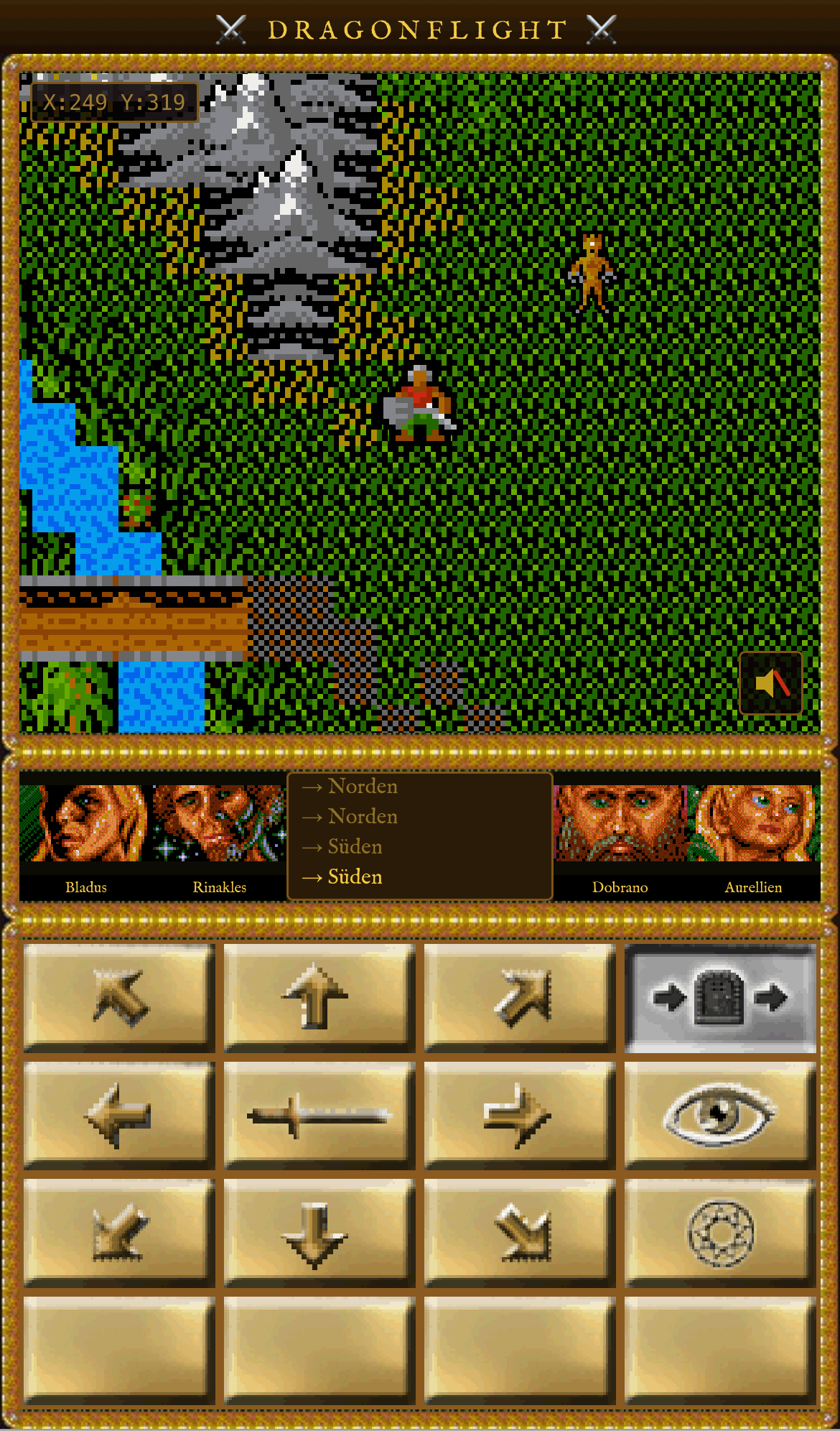
The world map is not a safe place. Dangerous creatures roam the land and move towards your group as soon as they come near. The closer the monster gets, the more aggressively it pursues you.
A collision triggers combat immediately. Balron, Ghoul, Orc, Skeleton, Grizzly, Snake, Ghost and Energy Ball lurk for unwary adventurers — the last of these can even attack three times per round.
A Balron approaches on the world map. Better dodge or be well equipped — the Balron hits all four characters at once with its area attack.
🏛️ Temples & Magic
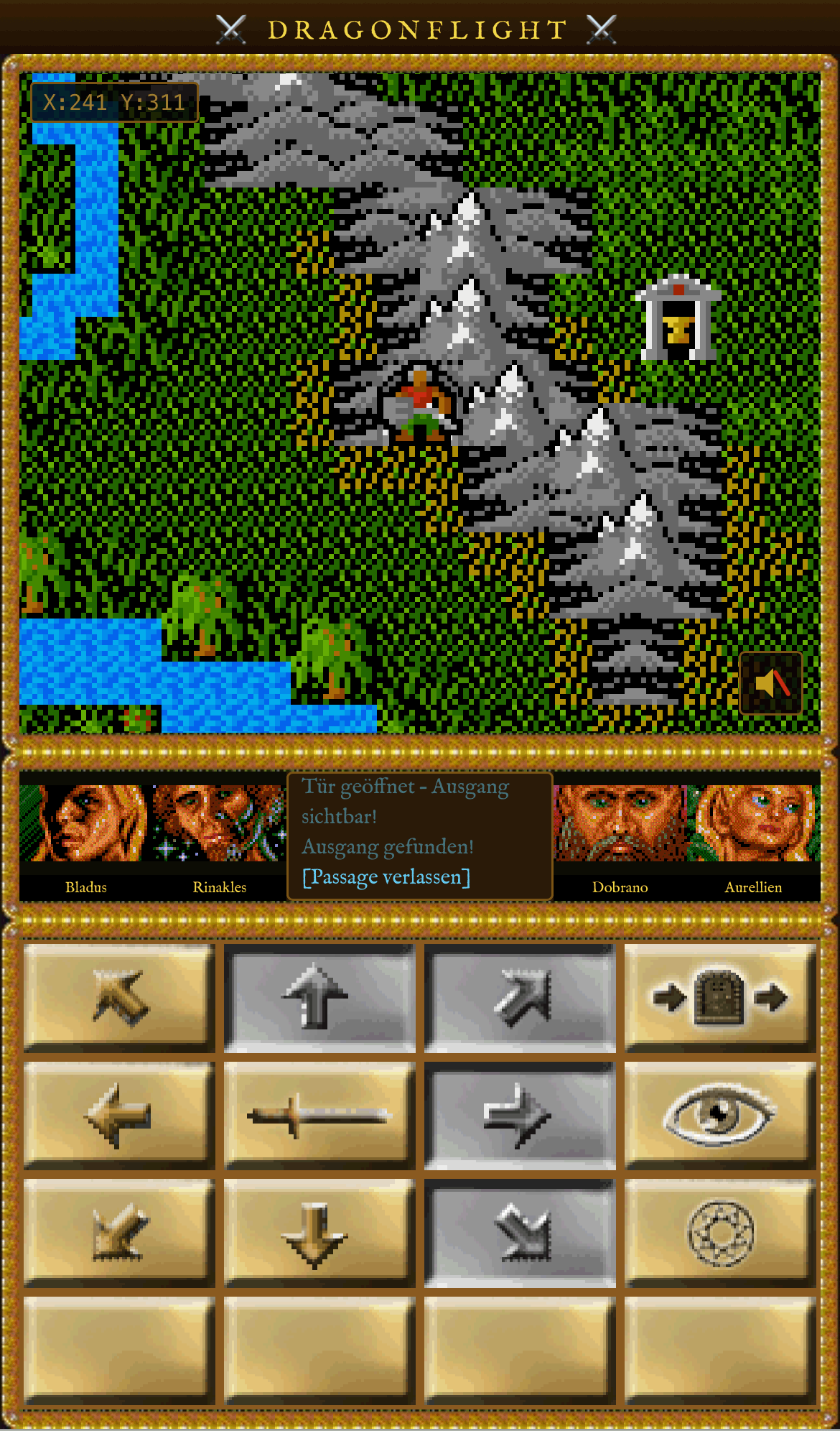
Scattered across the world are temples of white and black magic. Entering a temple allows you to learn spells from scrolls and prepare them for use at the right moment.
The most powerful service is teleportation: once a character has learned the corresponding spell, the entire group can instantly jump to another known temple — an enormous time-saver on long journeys.
A temple of white magic. Here spells can be prepared and the coveted teleportation between known temples can be used.
Controls
World Map
- N / S / W / E Walk in compass directions
- NW / NE / SW / SE Walk diagonally
- Enter Enter city, dungeon or temple
- Search Examine surroundings
- Portrait Open character screen
Dungeon
- Forward / Backward Step forward / back
- Left / Right Move sideways
- Turn L / R Change facing direction
- Open door Unlock a locked door
- Exit Leave the dungeon
Your Party

Warrior · Leader

Sorceress

Fighter · Tank

Archer